
How to Improve Team Communication in the Workplace
Posts by:administrator
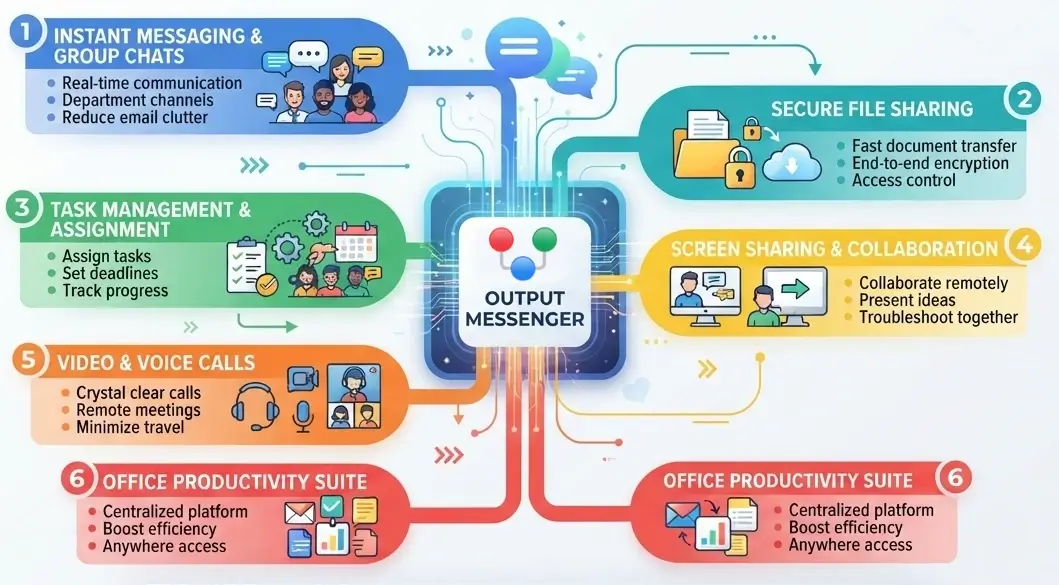
How to Improve Team Communication in the Workplace
Effective workplace communication is essential for every successful business. When employees share information clearly, collaborate on tasks, and stay updated on important decisions, teams can work more efficiently and avoid unnecessary confusion. However, many businesses still depend on scattered emails, phone calls, personal messaging apps, and informal conversations. This can make it difficult to track […]
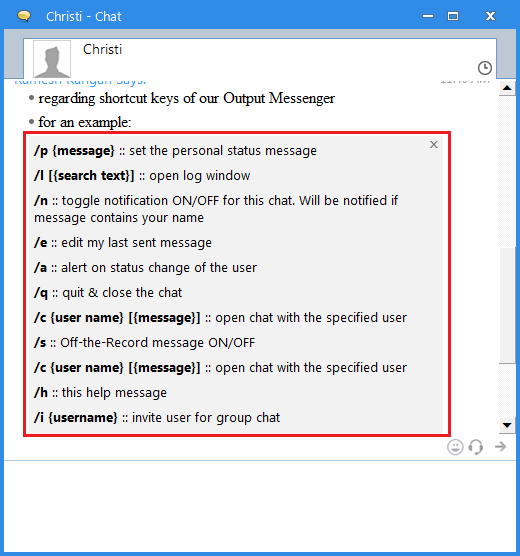
Hotkeys for Output Messenger Users
As told in the previous blog, we are productive devotees, looking for short, simple but powerful way to save our time. You can use our hot-keys to minimize your time of mouse movement and clicks. Here they are for your reference, which you can do on a chat window. 1. Set Personal Status : You […]

Enjoy communication with emojis
We all emoticons which utters thousand words of our expressions precisely. Emojis makes us to react like our real human face even if they are unreal. We can use it as complementary to our language. So, we decided to add pepper to your conversation. We here, now packed our Output Messenger with Emojis. And […]
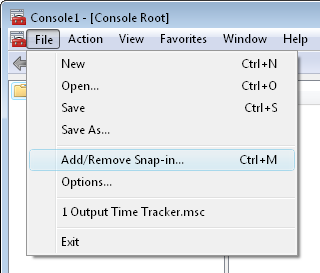
Steps to Add/Import Personal Certificate with MMC
All we wish to use own SSL certificate for the applications and websites we use in our concern regarding the Security. We can see here the steps to add/import such custom/trusted SSL certificates.

LAN Messenger Vs Internet Messenger
Communication is an important one to share our thoughts and improve Business. The Messenger is an intermediate vehicle that makes the communication as simple and powerful. Nowadays the messengers become with more functionalities and features at an affordable cost. It improves communication within the organization and increases productivity. As the technology evolved, messengers emerge out […]
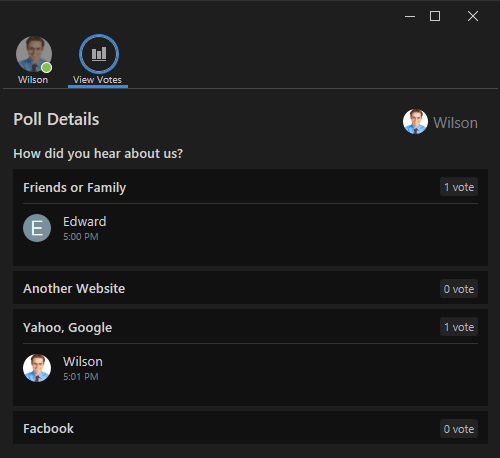
Engage with Polls Using Output Messenger
Polls allow users to vote or express their opinions on specific questions or topics. Inside the chat window, users have the ability to kick off a poll, facilitating the collection of feedback or opinions from participants. By presenting a series of questions or options, this feature enables interactive engagement, making it a valuable tool for […]
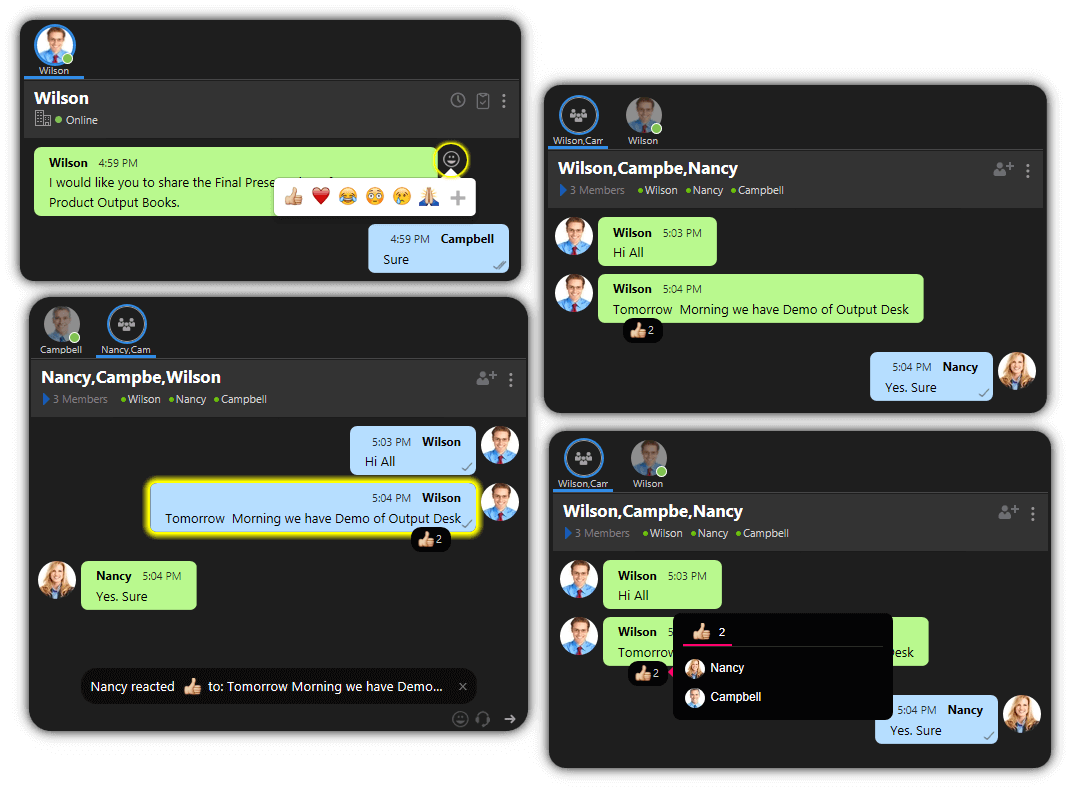
Exploring the Latest Innovations in Output Messenger V2.0.33
“Upgrade now to Output Messenger V2.0.33 and take your office communication to the next level! With improved features and functionalities, you’ll experience increased productivity and efficiency in no time.” Emoji Reactions for Chat Messages in Output Messenger React Emojis are a fun and expressive way to convey emotions or reactions in Digital Communication. Emojis are […]
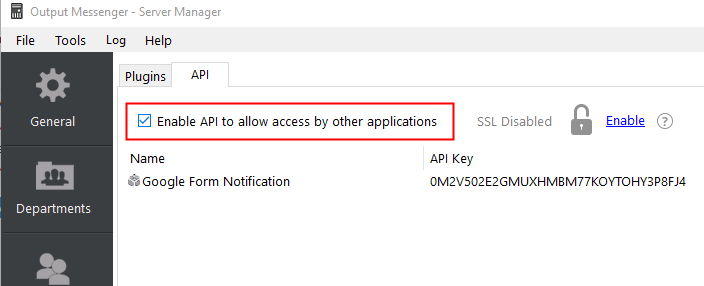
Google form interaction
Introduction If you want to get input in Google Forms and post the data to a chat room or another user in your Output Messenger, you can follow the below steps. 1) Enable API Select the Plugins > API tab in Output Messenger Server Manager. Enable the API to allow access by other applications. Turn […]
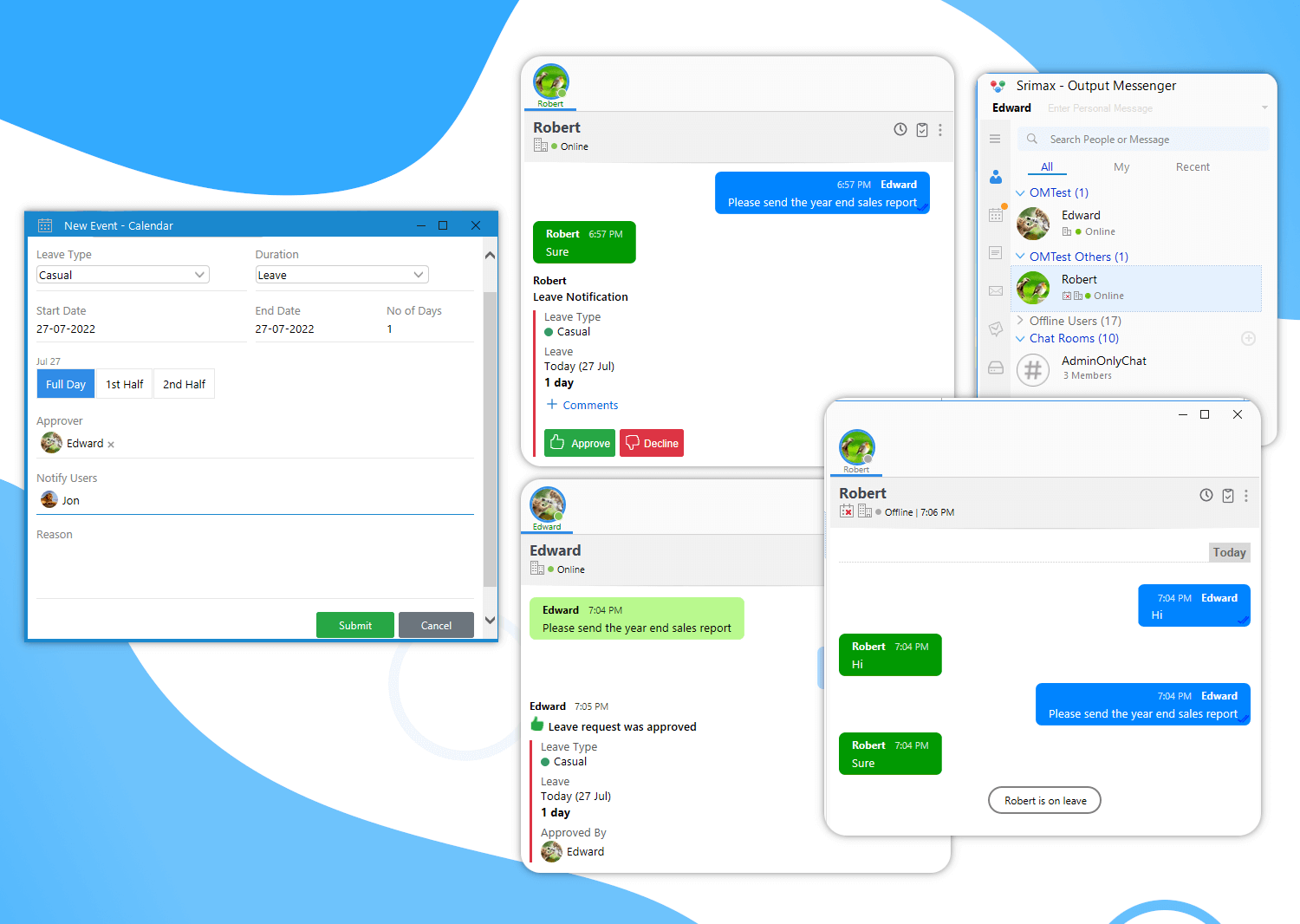
Introducing V2.0.22
Introducing the Next Phase of V2.0.22 with new features that makes your Work organized & well planned! Do a quick update to explore now! Leave Management to Manage Employee Leave Requests Let your employees request Leave/Time Off with ease from Output messenger. Save 90% of your(administrator/managers) time in managing leaves by approving/declining the leave requests […]
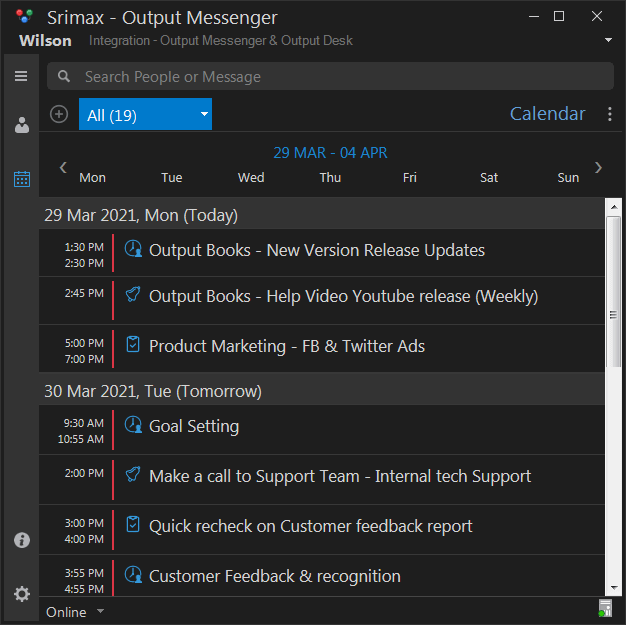
What’s New in Output Messenger 2.X
Still on 1.X ? It’s time to upgrade to 2.X! Make your Office Communication more better & Increase Productivity with Output Messenger 2.X update. Explore & Experience the new features with a quick upgrade. Let’s check the more exciting ones. Stay Organized with Output Calendar Helps your Team to stay organized with individual & team […]